The gym console gives you one view of every trainer and every member. Invite, assign, watch retention, and handle a trainer leaving without losing the floor.
Send an invite from the console
In the gym console, open the Trainers section and hit "Invite trainer." Enter their name and email. They get an email invitation. They open its link, create their account, finish a short setup, and connect their payout details. When they are done, they show up on your trainer list.
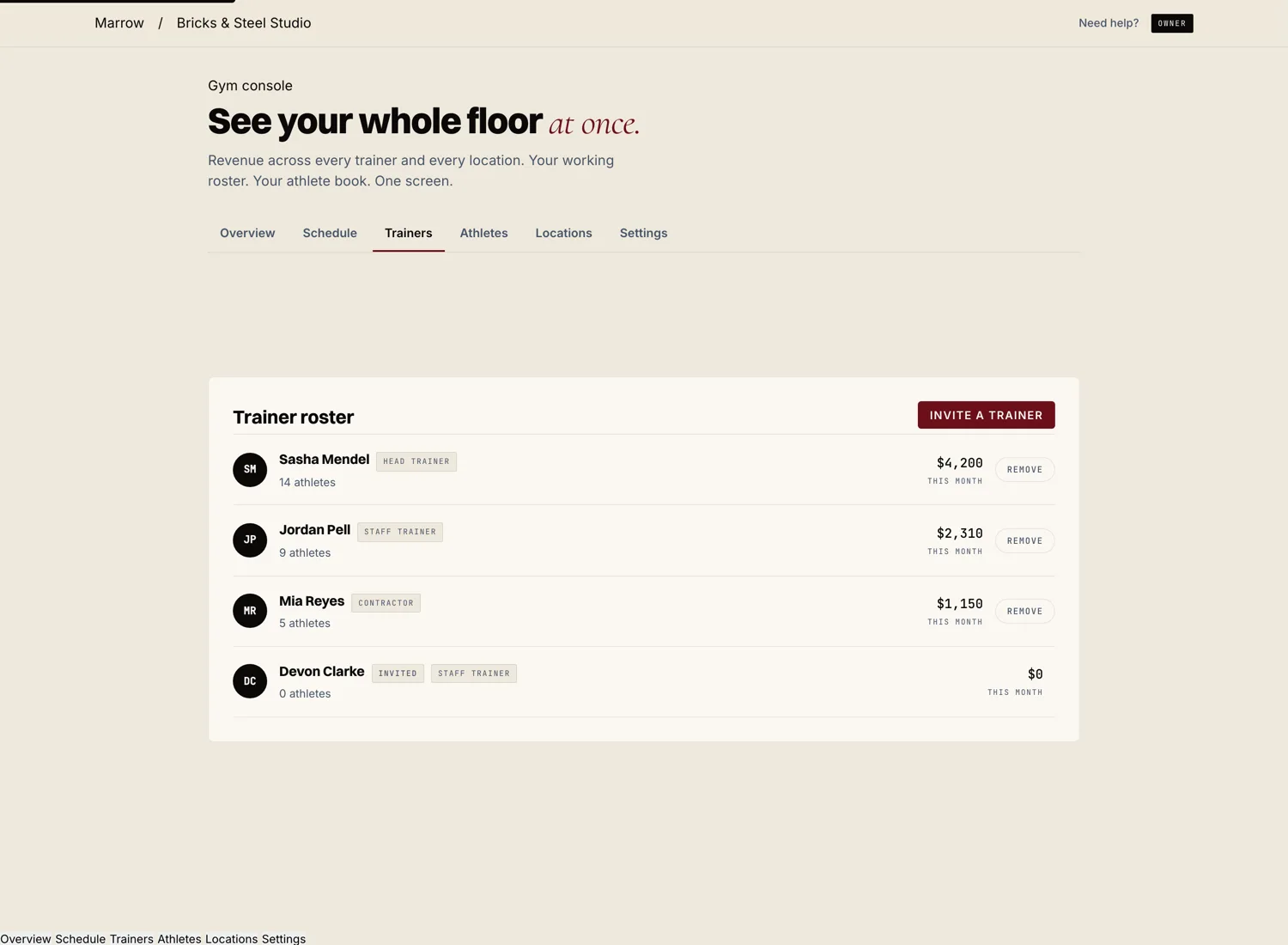
See each trainer's floor
Each trainer on your list shows how many athletes they coach and what they earned this month. You see who is busy and who has room without having to ask.
The whole roster, in one place
The console rolls up every member across every trainer. You can see how the gym is doing as a whole, not trainer by trainer. When a member needs attention, you can step in or hand them to another coach.
Reassign without losing the member
When a trainer moves on, you reassign their members to another coach right from the console. The member's history, programs, and progress carry over. The member stays with the gym. This is the difference between a gym on Marrow and a gym on a single coach app.